Copy, translate and keep every Teams caption.

Teams shows live captions you can't select, copy or scroll back. Caption Keeper puts every line in a panel next to your meeting.

No account. No bot in your meeting. Transcripts stay on your computer.

Teams for work, school and personal Chrome and Edge Interface in 9 languages

Copy

Any line, the moment it's said.

Select part of a sentence or copy a whole line with one click, then paste it into a translator, your notes, an email or a ticket.

  • Speaker names and times, if you want them
  • Copy the whole meeting at once
  • Search while the meeting is still running
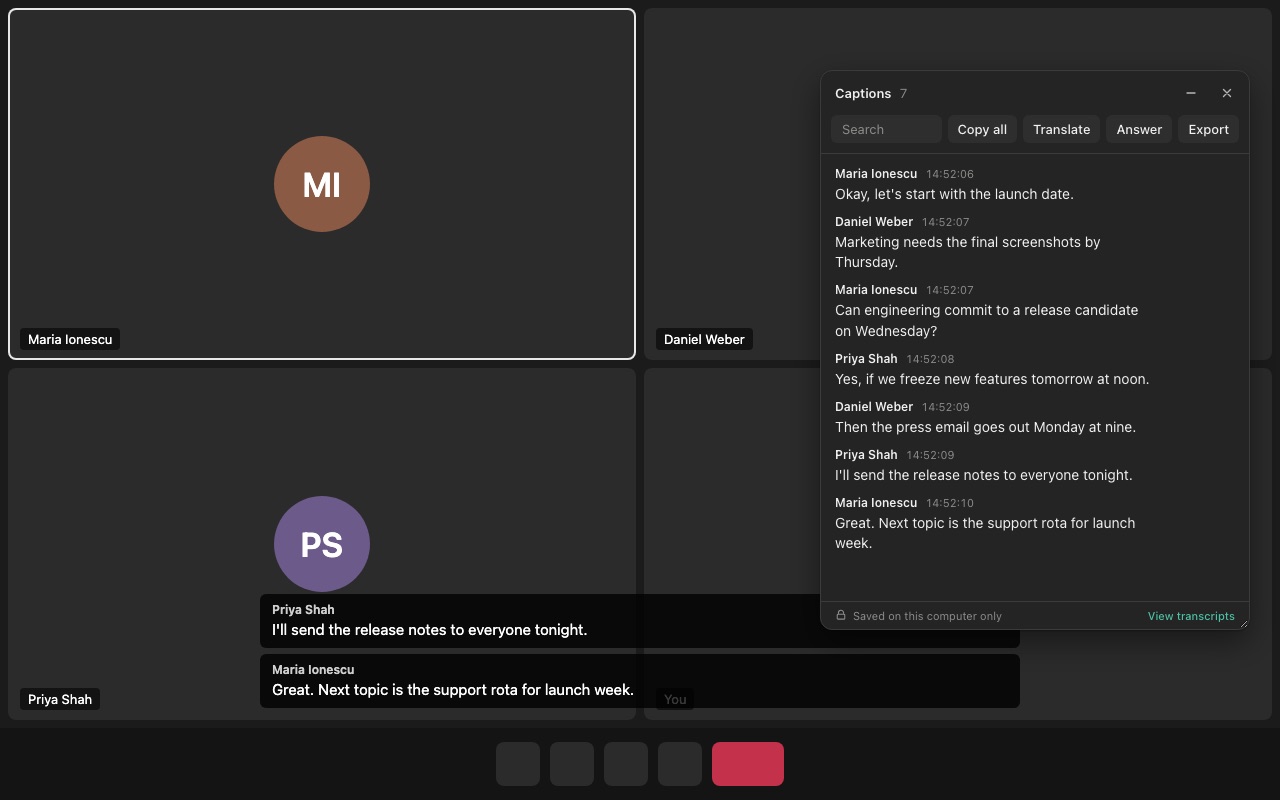
Caption Keeper panel next to a Teams meeting, listing every caption with speaker names and times

Translate

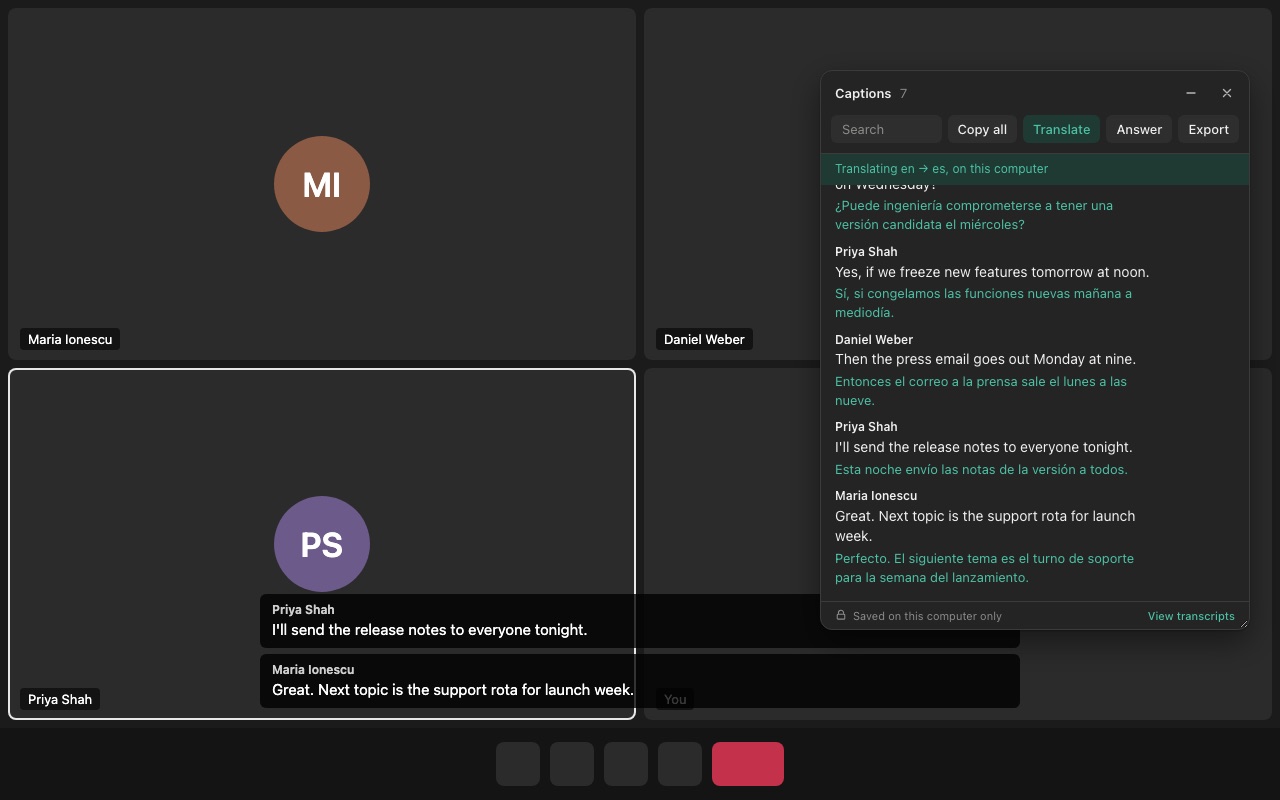
Captions in your language, as people speak.

Turn on Translate and every line gets a translation underneath. It runs on your computer with the translator built into Chrome, so the meeting is never sent to a translation server.

  • Keeps up with the speaker, line by line
  • Dozens of language pairs
  • One click opens any line in Google Translate or DeepL
Teams captions in English with a live Spanish translation under each line

Answer

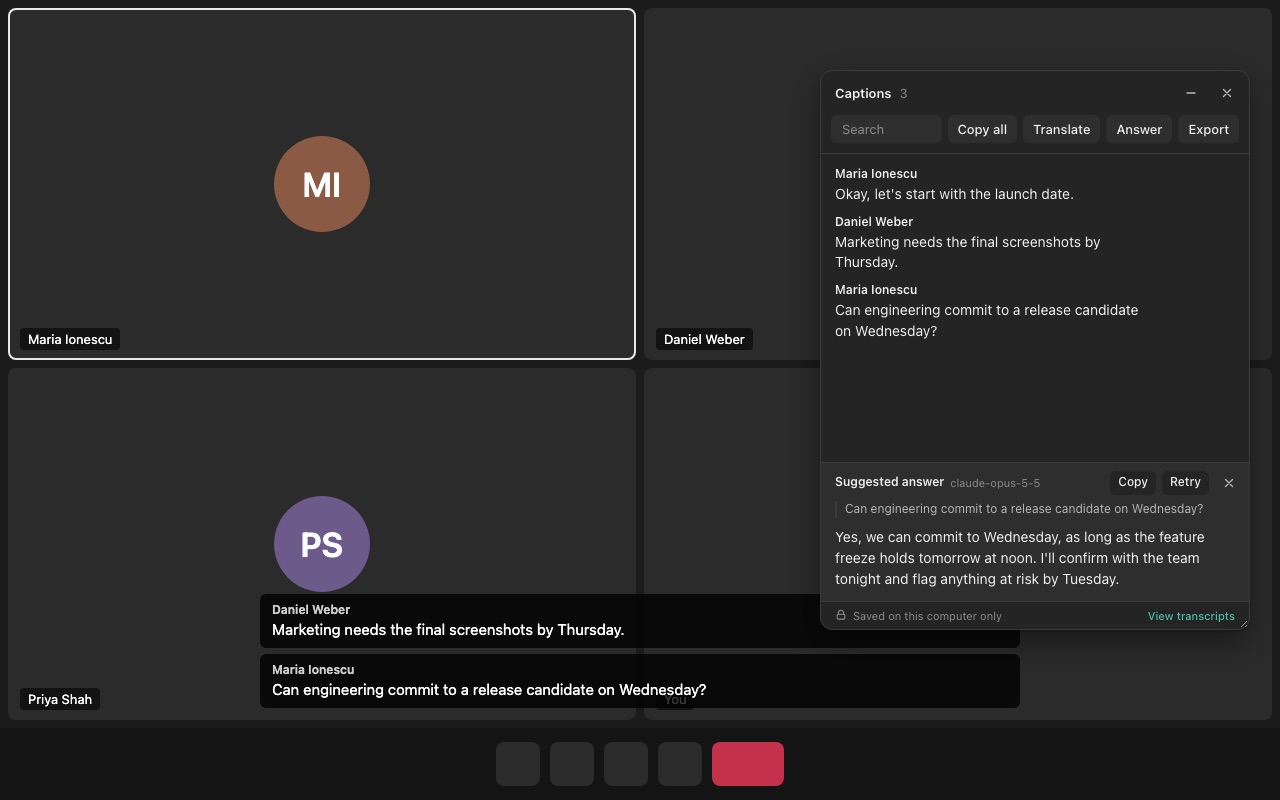
A suggested reply when someone asks you something.

Press Answer and the question, with the conversation around it, goes to the AI model you choose. A short reply you can say out loud appears in the panel.

AltShiftA
  • ChatGPT, Claude, Gemini, Groq, OpenRouter, or a local model in LM Studio or Ollama
  • Your own key: Gemini and Groq have free tiers
  • Off until you turn it on
Suggested answer written under the captions for the latest question in the meeting

Keep

Every meeting saved, searchable later.

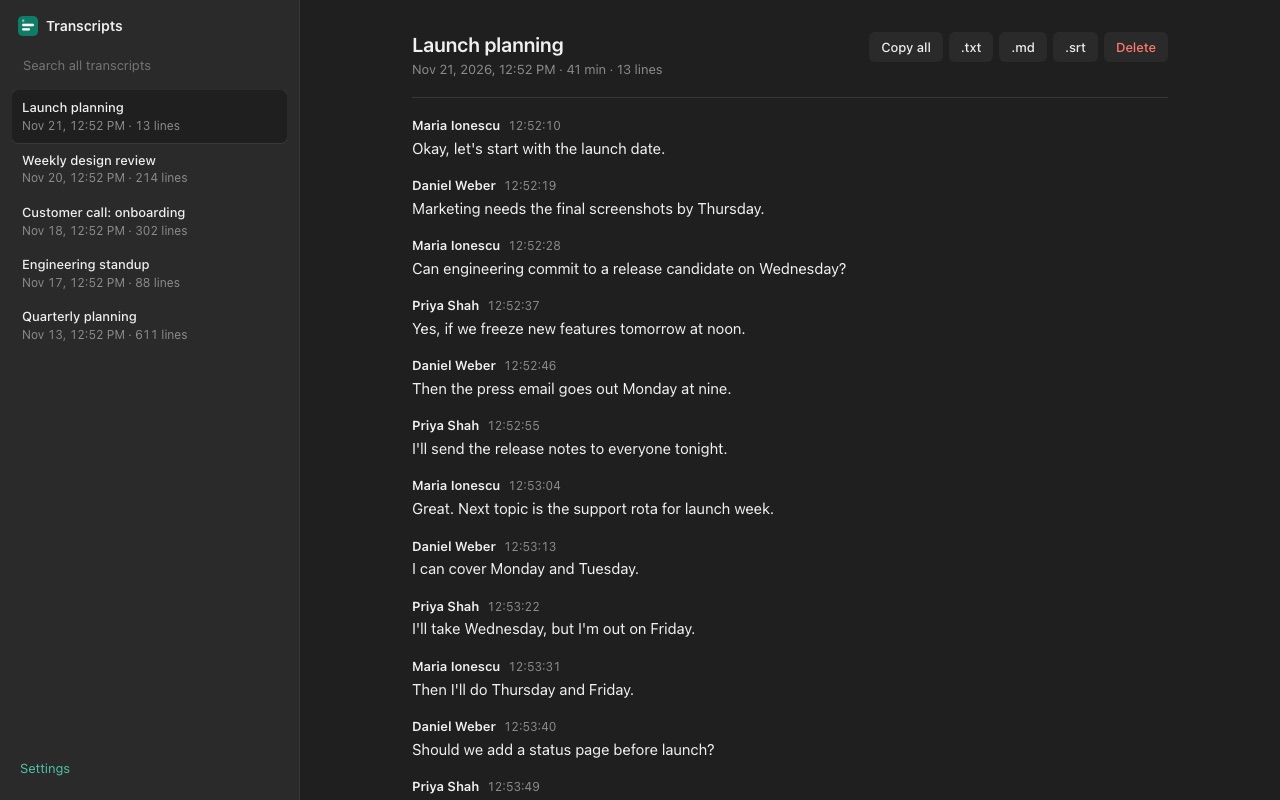
The whole meeting is kept even after Teams scrolls the captions away. Find what was said last week, rename meetings, and export them.

  • Search across all your meetings
  • Export as text, Markdown or .srt subtitles
  • Automatic deletion after 7, 30 or 90 days, if you like
Saved Teams meeting transcripts with search and export

Ready in a minute.

Nothing to configure for copying and translating.

Add the extension

From the Chrome Web Store or Edge Add-ons.

Join from the browser

Open the meeting in Teams on the web.

Turn on live captions

More (…), Language and speech, Show live captions. The panel opens by itself.

Private by design.

Meeting content is sensitive. Caption Keeper is built so it doesn't have to leave your computer.

No accountInstall and use it. There is nothing to sign up for.
No serversTranscripts and settings live in your browser.
No bot, no recordingIt reads the captions Teams already shows you.
Your choice of AIText goes to an AI provider only when you ask, and only to the one you picked.

Questions

Does it work in the Teams desktop app?

No. It works in Teams on the web (teams.microsoft.com, teams.cloud.microsoft and teams.live.com) in Chrome or Microsoft Edge. Join the meeting from the browser instead of the desktop app.

Does it record audio or join the meeting as a bot?

No. It reads the live captions Teams already shows you after you turn them on. Nothing joins the call and no audio is recorded.

Is it free?

Yes. Everything is free during early access, and people who install now keep the Pro features for life when Pro launches.

Where are my transcripts stored?

In your browser on your computer. Caption Keeper has no servers and no account. You can delete transcripts one by one, all at once, or automatically after 7, 30 or 90 days.

How does the live translation work?

It uses the translator built into Chrome, which runs on your computer. The first time you use a language pair Chrome downloads the language model; after that, captions are translated as people speak without leaving your computer.

Which AI models can suggest answers?

OpenAI (ChatGPT), Anthropic (Claude), Google Gemini, Groq and OpenRouter with your own API key, or a model on your own computer through LM Studio or Ollama. Suggested answers are off until you set them up.

Never lose what was said in a meeting again.

Free during early access. Install now and keep Pro for life.